




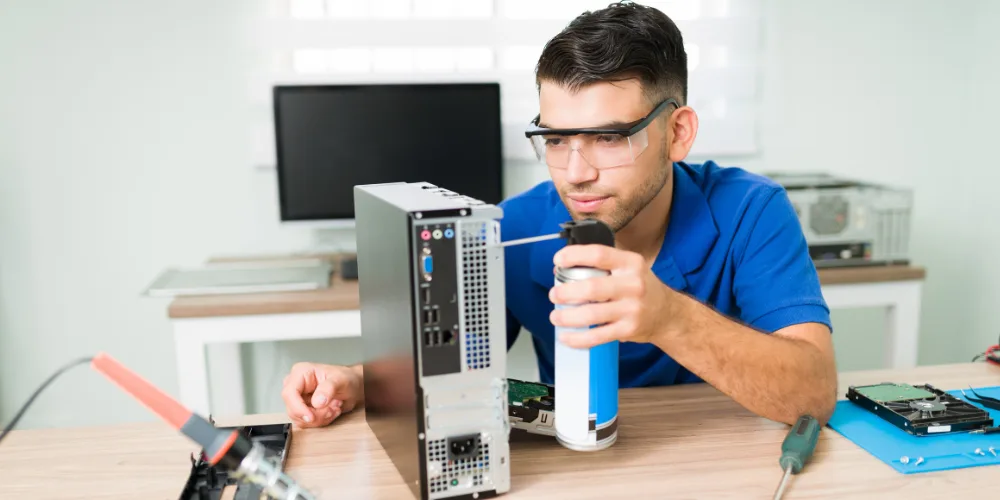
In a fast-paced city like London, a computer breakdown is more than just a technical issue—it can stop work, delay deadlines, and directly affect income. Many customers try temporary fixes or online solutions, but when problems keep returning, professional help becomes essential.
This detailed case study explains how Hire IT Expert, a trusted computer repair service in London, handled a real customer situation—from the first call to the final resolution—using a structured, expert-led approach. This is not a promotional story, but a realistic example of how professional computer repair should be done.
Background: Why the Customer Contacted Hire IT Expert
The customer was a self-employed consultant based in East London, relying heavily on a desktop PC for:
- Client emails
- Online meetings
- Accounting and invoicing software
- Printer and scanner usage
For almost three weeks, the system had become unreliable. The customer initially ignored the warning signs, assuming it was a temporary slowdown. However, the situation gradually worsened.
After searching online for “computer repair London” and “PC repair near me”, the customer contacted Hire IT Expert due to clear service details and local expertise.
Device & System Details
- Device Type: Desktop PC
- Operating System: Windows 11
- System Age: Approx. 3.5 years
- Usage Type: Business & office work
- Previous Repairs: None
The customer requested on-site computer repair in London as the system could not be transported easily.
Issues Reported During the First Call
During the initial discussion, the customer described multiple problems:
- Extremely slow startup and shutdown
- Random freezing while working
- Occasional blue screen errors
- Printer disconnecting repeatedly
- Software crashing without warning
- Antivirus pop-ups appearing frequently
These symptoms clearly indicated that the issue was not a single fault, but a combination of software, system, and performance problems.
Step 1: Professional On-Site Diagnosis
Once our computer expert in London arrived, the first step was a complete system diagnosis instead of immediate repairs.
System Performance Analysis
- Checked CPU, RAM, and disk usage
- Identified abnormal background processes
- Noted unusually high disk activity
Startup & Software Review
- Found multiple unnecessary startup programs
- Detected partially uninstalled software
- Observed system conflicts after recent Windows updates
Hardware Health Check
- Hard drive showing slow response times
- No physical hardware damage
- RAM functioning correctly
Step 2: Security & Malware Inspection
A deeper scan revealed a major hidden issue.
Although the customer had antivirus installed, it was outdated and conflicting with Windows Security. This caused:
- Hidden malware processes running in the background
- High CPU and disk usage
- System instability and crashes
Our expert safely isolated and removed these threats without risking data loss.
Step 3: Identifying the Root Causes
After thorough testing, the real causes of the problem were identified:
- Corrupted Windows system files
- Malware consuming system resources
- Driver conflicts after Windows updates
- Poor disk optimisation
This confirmed that simply reinstalling software would not have solved the issue permanently.
Step 4: Structured Repair Process by Hire IT Expert
Instead of quick fixes, our computer repair service in London followed a structured repair methodology.
Windows System Repair
- Repaired corrupted system files
- Stabilised Windows updates
- Fixed system services running incorrectly
Malware & Security Cleanup
- Removed all detected malware
- Cleaned unnecessary background tasks
- Installed a compatible, updated antivirus
Performance Optimisation
- Optimised startup programs
- Cleaned temporary and junk files
- Improved system responsiveness
Printer & Software Resolution
- Reinstalled correct printer drivers
- Fixed connection issues
- Tested all essential business software
Time Taken & Service Transparency
- Service Type: On-site computer repair (London)
- Total Time: Around 2–2.5 hours
- Data Safety: 100% secure
- Pricing: Explained before starting work
The customer appreciated the transparency and step-by-step explanation provided during the repair.
Final Outcome: Before vs After
| Before Repair | After Repair |
| 1. PC took 10–15 minutes to start 2. System froze multiple times daily 3. Printer unusable 4. Work productivity severely affected | 1. PC boot time under 30 seconds 2. Smooth, stable performance 3. Printer working without disconnections 4. Business operations fully restored |
Customer Experience & Feedback
After the repair, the customer shared honest feedback:
“I thought my computer needed replacement, but Hire IT Expert fixed everything professionally. My PC now works like new. Very reliable computer repair service in London.”
Why This Case Study Matters for London Customers
Many people search for computer repair London when their system stops working, but choosing the wrong service often leads to temporary fixes. This case study shows:
- Why professional diagnosis matters
- How multiple issues are often connected
- Why expert repair saves time and money
Hire IT Expert focuses on long-term solutions, not just quick repairs.
What Makes Hire IT Expert Different?
- Experienced local computer experts
- On-site & remote support across London
- Business & home computer repairs
- Transparent pricing
- Trusted by real customers
Computer Repair London – When Should You Call an Expert?
You should contact a professional if:
- Your PC is slow despite upgrades
- Windows crashes repeatedly
- Software or printer keeps disconnecting
- Antivirus warnings keep appearing
- Work productivity is affected
Ignoring these signs can lead to data loss or complete system failure.
Need Reliable Computer Repair in London?
If you are facing similar issues, Hire IT Expert is ready to help with fast, professional, and trusted computer repair services across London.
Frequently Asked Questions
FAQs (Computer Repair London)
How much does computer repair in London cost?
The cost depends on the issue and service type. We explain the pricing clearly before starting any work, with no hidden charges.
Do you repair both home and business computers?
Yes, we provide computer repair services for both home users and businesses in London, including office PCs, workstations, and shared systems.
Is my data safe during the repair process?
Yes, data safety is our priority. We follow secure repair procedures and never access or delete personal files unless explicitly required and approved by the customer.
What types of computer problems do you fix?
We fix slow computers, Windows errors, software crashes, virus and malware issues, printer problems, internet issues, and general PC or laptop performance problems.
Do you provide on-site computer repair in London?
Yes, Hire IT Expert provides professional on-site computer repair services across London. Our technician visits your home or office and fixes the issue at your location.
How quickly can you provide computer repair services in London?
We offer same-day computer repair in London, subject to availability. In urgent cases, our experts try to attend as quickly as possible to minimise downtime.