




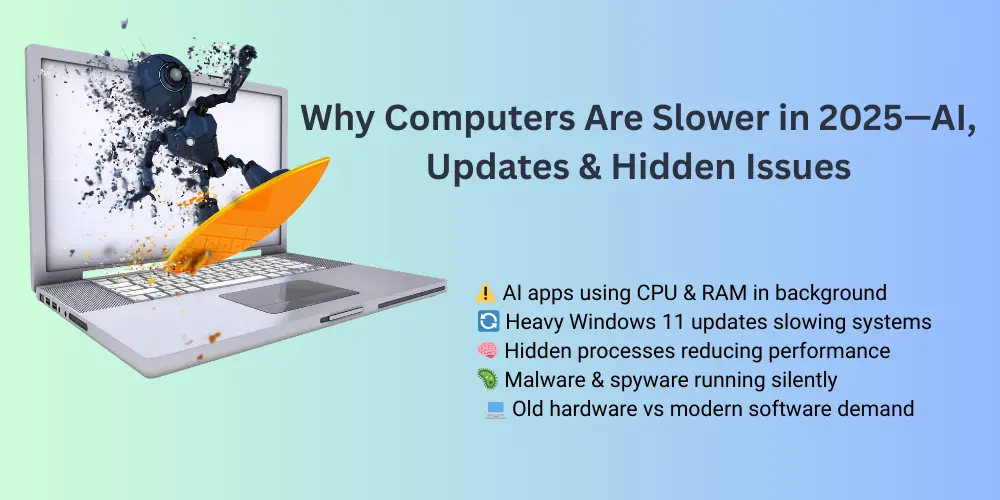
In 2025, many users across London and the UK are asking the same question: “Why is my computer so slow?” What makes this issue more frustrating is that even relatively new laptops and PCs are struggling with performance. Applications take longer to load, systems freeze unexpectedly, fans run constantly, and productivity drops.
The truth is, computers are slower in 2025 not because technology has failed—but because modern software, AI tools, operating system updates, and hidden background processes demand far more resources than ever before. In this blog, we explain why computers slow down in 2025, the hidden causes most users don’t notice, and how IT experts professionally fix these issues, especially for users in London.
1. AI-Powered Software Is Constantly Running in the Background
Artificial Intelligence has become deeply integrated into everyday computing in 2025. From Windows features and antivirus software to browsers and productivity tools, AI now runs continuously in the background.
How AI slows down computers
- AI assistants analysing usage behaviour
- Background optimisation tools consuming CPU and RAM
- Cloud-based AI syncing data constantly
- Real-time threat detection increasing system load
While these features improve security and convenience, they also place a heavy burden on older hardware.
How experts fix AI-related slowdowns
IT experts analyse background services and disable unnecessary AI-driven processes without compromising security. They also fine-tune system settings to balance performance and functionality. In many cases, this optimisation alone results in a noticeable speed boost.
2. Windows 11 and 2025 System Updates
Operating system updates are essential for security, but in 2025, Windows 11 updates are more resource-intensive than ever. Many systems struggle to keep up with frequent patches, driver updates, and security enhancements.
Common update-related problems
- High CPU usage after updates
- Slow boot times
- Compatibility issues with older drivers
- Background updates running during work hours
Professional solution
Experts diagnose update conflicts, repair corrupted system files, and optimise update settings. They also ensure that systems meet Windows 11 system requirements, reducing crashes and performance loss.
3. Too Many Startup and Background Applications
Modern users install dozens of applications—many of which automatically start when the computer boots. Over time, these background apps silently consume system resources.
Signs this is affecting your PC
- Slow startup
- Lag when opening basic programs
- High RAM usage even when idle
Expert optimisation process
IT professionals review startup programs, disable unnecessary services, and optimise background processes. This results in faster boot times and smoother multitasking.
4. Outdated Hardware vs Modern Software Demands
Even if your computer worked perfectly a few years ago, modern software in 2025 demands faster storage, more memory, and better processing power.
Hardware limitations causing slowness
- Traditional hard drives (HDDs)
- Less than 8GB RAM
- Older CPUs struggling with multitasking
How experts upgrade without replacing
Instead of recommending a new computer, IT experts often upgrade systems with SSDs, add RAM, and optimise hardware settings—dramatically improving performance at a lower cost.
5. Hidden Malware, Spyware, and Crypto-Minors
Not all malware is obvious. In 2025, many systems are affected by hidden threats that run silently in the background, using system resources.
Warning signs
- Constant high CPU usage
- Laptop fans running loudly
- Slow internet speeds
- Unexpected pop-ups or redirects
Expert-level virus removal
Professional IT experts use advanced malware detection tools and manual inspection techniques to completely remove hidden threats and secure the system. (Laptop virus removal London) Re This is far more effective than relying on free antivirus software alone.
6. Browser Overload and Heavy Web Applications
Browsers in 2025 are more powerful but also heavier. Cloud-based tools, AI extensions, and multiple open tabs significantly slow down systems.
Common browser-related issues
- Too many extensions
- Memory-hungry web apps
- Syncing across multiple devices
How experts optimise browsers
Experts remove unnecessary extensions, reset browser settings, and recommend lightweight alternatives for better performance.
7. Poor Maintenance and Dust Build-Up
Physical maintenance is often ignored. Dust accumulation inside laptops and PCs causes overheating, which forces systems to throttle performance.
Symptoms
- Overheating
- Loud fan noise
- Sudden shutdowns
Professional maintenance
Experts clean internal components, replace thermal paste, and test cooling efficiency—restoring performance and extending device lifespan.
8. Internet and Cloud Dependency in 2025
Modern computers rely heavily on cloud services. Slow or unstable internet connections can make systems feel sluggish even when hardware is fine.
Hidden impact
- Cloud sync delays
- App timeouts
- Performance drops during uploads/downloads
Expert diagnosis
IT professionals test network performance, optimise settings, and eliminate software conflicts affecting connectivity.
When Should You Hire an IT Expert?
Many of the performance issues discussed above are part of wider, recurring PC problems faced by users across the city. To understand these issues in more detail, explore our complete guide on top computer problems in London (2025) and how professionals diagnose and fix them effectively.
You should consider hiring an expert if:
- Your computer is slow despite upgrades
- Performance issues affect work or business
- You suspect malware or hacking
- Updates cause repeated errors
A professional computer repair service in London ensures safe, long-term fixes rather than short-term solutions.
Why London Users Trust Hire IT Expert
Hire IT Expert provides reliable, professional computer repair services tailored for modern 2025 challenges. From performance optimisation and virus removal to hardware upgrades and Windows troubleshooting, our experts deliver fast and secure solutions across London.
Final Thoughts
Computers are slower in 2025 due to AI-powered software, heavy updates, hidden background processes, and increasing hardware demands. The good news is that most of these issues are fixable without replacing your device.
If your computer feels slower than it should, consulting a trusted computer repair service in London can restore speed, stability, and productivity—helping you get the most out of your technology in 2025.
Frequently Asked Questions
Frequently Asked Questions Computers Slower (FAQs)
When should I hire a computer repair expert?
You should hire an expert if your computer remains slow after basic fixes, affects work productivity, or shows signs of malware or overheating.
How can I speed up my computer in 2025?
Professional optimisation, malware removal, hardware upgrades like SSDs, and proper system maintenance can significantly improve speed.
Is a slow computer always a hardware problem?
Is a slow computer always a hardware problem?
Do Windows 11 updates affect computer performance?
Some Windows 11 updates can temporarily reduce performance, especially on older hardware, if not properly optimised by an IT expert.
Can AI tools slow down my computer?
Yes, many AI-based tools run continuously in the background, using CPU and RAM, which can slow down older or unoptimised systems.
Why are computers slower in 2025?
Computers are slower in 2025 due to AI-powered background software, heavy Windows updates, increased cloud usage, hidden malware, and higher hardware demands.